Central Station
Monitoring Accounts
Here’s how to access your Central Station Monitoring Accounts via app, website, or phone.
Access Via MySecurity Account App and website
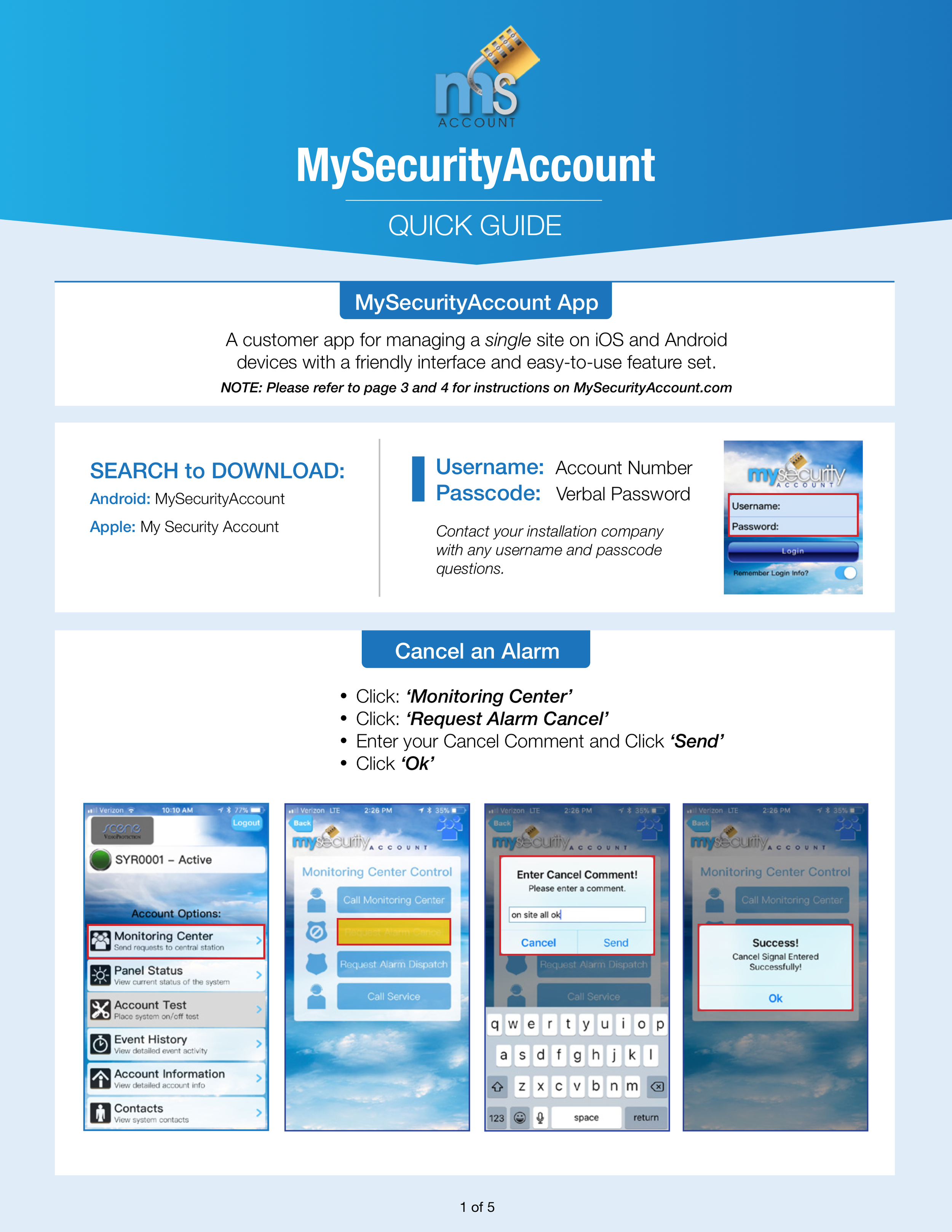
Access using the MySecurity Account app (available for free download in Apple and Android App stores) or through https://mysecurityaccount.com/ .
Use the MySecurity Account App to put the system on test, check the system history or cancel an alarm. See the MySecurity Account Quick Guide for further details.
Your Username is your account number and the Password is your pre-selected alpha-numeric or verbal passcode (Contact TRL Systems with any Username/Passcode questions).
NOTE: If you have multiple account, use the MSA Pro App.
Access Via Phone
Monitoring phone number: 866.283.4267
This is the number to call to put your system on test, or check the system history.